Data extraction

In the modern world, where data optimization is crucial for business success, PDF data extraction appears as a powerful tool. If you are looking for ways to improve the efficiency of your data processes, this post is for you.
READ ALSO:
• What is OCR?
• Extract data with AI
Speak with one of our specialists and discover how Pix Force can transform your business
What Does PDF Data Extraction Mean?
Extracting data from PDF involves the process of obtaining useful and relevant information contained in documents in PDF format. As PDFs have become a popular way to share and distribute documents, the ability to extract data from these files has become essential for making informed decisions and streamlining processes. PDF data extraction is the act of automating the identification and collection of important information contained in PDF documents. This can include extracting text, tables, charts, and any other relevant content. The goal is to transform unstructured data into structured data, which is easier to analyze and utilize. This data extraction can be performed through various techniques and tools, such as specialized PDF extraction software or custom programming scripts. These methods make it possible to automate the process, saving time and resources. Furthermore, PDF data extraction provides valuable insights for data analysis, financial reporting, order processing, and much more. In short, extracting data from PDF means using methods and technologies to identify, collect, and organize the relevant information contained in a PDF document. This makes the data more accessible, aiding in decision-making and process optimization across various sectors and industries.
Importance of Data Extraction
PDF documents are widely used due to their consistency and universal format. However, the wealth of data contained within these documents often remains underutilized due to the difficulty of direct manipulation.
Practical Applications
PDF data extraction allows companies to convert financial reports, invoices, contracts, and other important documents into editable and usable data in management systems, data analysis, and more.
Why Extract Data from PDF?
Extracting data from PDF is crucial for transforming unstructured information into a usable and analyzable format. PDFs are widely used due to their formatting consistency, regardless of the device.
However, manually extracting data from these documents is time-consuming and prone to errors. Automating this process not only saves time but also increases operational accuracy and efficiency. This facilitates the analysis of large volumes of data, improving decision-making and efficiency in sectors such as finance, healthcare, and telecommunications. See below some reasons to perform PDF data extraction.
Operational Efficiency
Transforming unstructured data from PDFs into structured information can significantly accelerate operational processes, reducing the time spent on manual tasks and minimizing human errors.
Improved Decision Making
With quick and easy access to accurate data, businesses can improve decision-making based on up-to-date and comprehensive information.
Cost Reduction
Automation of data extraction can result in substantial savings, eliminating the need for manual data entry and allowing employees to focus on more strategic tasks.
Methods for PDF Data Extraction
There are several methods and tools available for PDF data extraction, each with its own advantages and disadvantages.
Extraction Software
Various software programs have been developed specifically to extract data from PDFs. Some popular ones include Tabula, Adobe Acrobat, and PDFelement. Each offers different functionalities depending on the specific needs of the user.
Manual Techniques
Although less efficient, manual data extraction is still an option. It consists of copying and pasting information directly from the PDF, but it can be time-consuming and prone to errors.
Online Tools
There are also many free and paid online tools that allow for quick extraction of data from PDFs. Sites like Smallpdf and PDF2Go are examples of platforms that facilitate this process.
Best Extraction Techniques
There are several effective techniques for PDF data extraction, ensuring accurate and efficient collection of the desired information. One is the use of custom programming scripts, such as Python, to extract data from PDFs. These scripts allow direct manipulation of files, using libraries like PyPDF2 and camelot, which facilitate text and table extraction. Additionally, the use of robotic process automation (RPA) tools is also a trend for PDF data extraction. These tools can simulate human actions, such as opening and reading PDF files, and automatically extracting the necessary information. Finally, it is important to mention the importance of validation and refinement of the extracted data. It is necessary to ensure the quality and integrity of information through cleaning and standardization techniques. In summary, the best techniques for PDF data extraction involve the use of specialized software, programming scripts, process automation, and validation of extracted data, ensuring efficiency and accuracy in collecting the desired information. See more examples below.
OCR (Optical Character Recognition)
One of the best techniques is the use of specialized data extraction software, which offers advanced features, such as optical character recognition (OCR), to extract text from PDF files. This software can be trained to recognize different types of information, such as tables, graphs, and specific fields. OCR is a technology that converts different types of documents, such as scanned PDFs, into editable and searchable data. It is particularly useful for working with scanned documents.
Artificial Intelligence
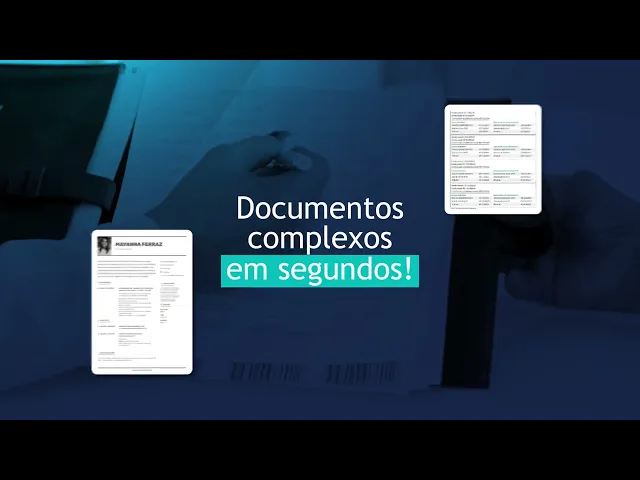
Artificial intelligence (AI) can significantly improve data extraction by learning to identify patterns and extract information with high precision. AI tools can automate complex processes and reduce extraction time. See below how Pix Force does this in a simple and easy way:
https://www.youtube.com/watch?v=iHrESrVuAtc
Natural Language Processing (NLP)
NLP is used to understand and extract contextual information from texts in PDFs. It is especially useful when dealing with complex documents containing natural language.
Automation of Data Extraction
The automation of PDF data extraction revolutionizes the way we handle information. Through the use of OCR, machine learning algorithms, and RPA tools, automation allows the identification and extraction of data from PDFs quickly and accurately. OCR is used to make text images into editable text, while machine learning algorithms learn to recognize patterns and document structures. RPA tools simulate human actions, such as opening, navigating, and extracting specific data from PDFs. This automated approach brings numerous benefits, such as reducing time and errors, in addition to enabling process scalability and traceability. Automating PDF data extraction boosts the efficiency and reliability of operations, providing an agile and accurate way to obtain valuable information. In other words, automating PDF data extraction can completely transform the way your company handles information. Automation allows continuous and accurate data extraction, improving productivity and reducing the need for manual intervention. This results in greater efficiency and a lower margin of error.
Automation Tools
Tools like UiPath, Automation Anywhere, and Blue Prism offer robust solutions for data extraction automation. These platforms utilize technologies like RPA (Robotic Process Automation) to automate repetitive tasks.
Automation Implementation
Implementing automation requires careful planning and choosing the right tools. It is important to evaluate the specific needs of your company and select the solution that best adapts to those needs.
Conclusion
Data extraction from PDFs is an essential practice for companies wishing to optimize their processes and improve operational efficiency. With the right techniques and tools, your company can transform unstructured data into valuable information, facilitating decision-making and reducing costs.
If you are ready to take your company's data extraction to the next level, consider exploring the available automation options. For more information and specialized support, contact us here at Pix Force and discover how we can help optimize your data processes. Discover IDEXA.

Fabio Caraça
Fábio Caraça is the Chief Growth Officer at Pix Force. He leads Pix Force's transformation into a scalable SaaS operation, combining strategic vision, culture, and high-impact execution.